
Best Binoculars: The Cornell Lab Review 2013
October 15, 2013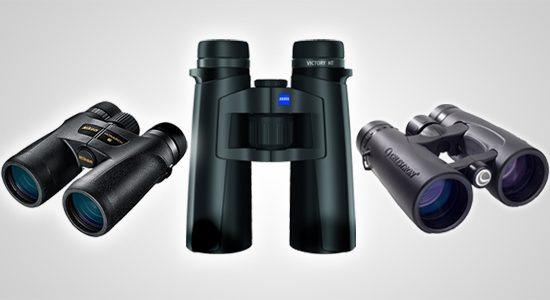
Note: In early 2023 we published a review of affordable 8×42 binoculars where you will find more current recommendations on purchasing optics.
In our Autumn 2013 issue we reviewed more than 100 pairs of binoculars, narrowing them down to a total of 28 top picks in five price ranges. Our reviewers were amazed at the image quality now available in even the lower price ranges. As you move to the higher price ranges, you get further improvements in image quality that really earn their keep in challenging conditions, such as harsh backlighting and very low light levels. These premium binoculars also often feature more rugged builds and better ergonomics.
Click below to explore our reviewers’ top picks in each price category. You can also read the original review article from Living Bird magazine or download a complete set of review scores for all 102 models.
-

Zeiss Victory T*HT 8×42
Superb image. Birds pop out from the background. Great feel in the hand and good eye relief.
Overall Feel: 4.7 Clarity/Crispness: 4.9 Quality Index: 4.8 Eyeglass Friendliness: 4.7 Price (MSRP): $2,444 -
Zeiss Victory T*FL 8×32
A smaller, more comfortable binocular that’s not too small—with all the benefits of top-of-the-line glass and coatings. Gorgeous.
Overall Feel: 4.6 Clarity/Crispness: 5.0 Quality Index: 4.8 Eyeglass Friendliness: 4.9 Price (MSRP): $2,055 -
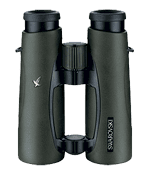
Swarovski Swarovision 10×42 EL
Really a fantastic binocular. The open bridge design makes it feel good in the hand and the image quality is excellent.
Overall Feel: 4.6 Clarity/Crispness: 4.8 Quality Index: 4.7 Eyeglass Friendliness: 4.7 Price (MSRP): $2,777 -
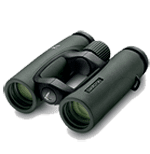
Swarovski Swarovision 8×32
A smaller binocular with excellent glass and coatings. A superb image sized for smaller hands and lighter carrying weight.
Overall Feel: 4.8 Clarity/Crispness: 4.8 Quality Index: 4.7 Eyeglass Friendliness: 4.7 Price (MSRP): $2,399 -
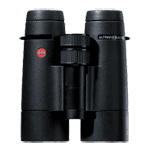
Leica Ultravid HD 8×42
Exceptionally durable, constructed with top-notch materials, and Leica’s legendary image quality. A great companion for long forays into the back of beyond.
Overall Feel: 4.4 Clarity/Crispness: 4.9 Quality Index: 4.7 Eyeglass Friendliness: 4.6 Price (MSRP): $2,099 -
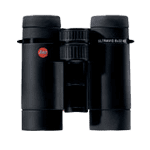
Leica Ultravid HD 8×32
Amazing brightness and crispness, with an exceptionally small size.
Overall Feel: 4.3 Clarity/Crispness: 4.8 Quality Index: 4.5 Eyeglass Friendliness: 4.3 Price (MSRP): $1,899
-
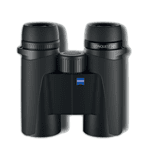
Zeiss Conquest HD 8×32
Testers loved this brand-new line from Zeiss. Smaller size makes them ideal for carrying along with lots of other gear. Super sharp and bright.
Overall Feel: 4.8 Clarity/Crispness: 4.9 Quality Index: 4.7 Eyeglass Friendliness: 4.6 Price (MSRP): $999 -
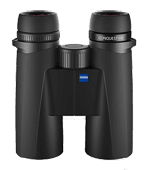
Zeiss Conquest HD 8×42
A slightly larger version of the Conquest 32s, with larger objective lenses for better performance in low light. The image is bright, clear, and true to color.
Overall Feel: 4.7 Clarity/Crispness: 4.8 Quality Index: 4.7 Eyeglass Friendliness: 4.6 Price (MSRP): $1,077 -
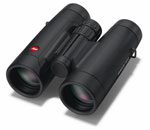
Leica Trinovid 8×42
A reboot of the long-admired Trinovid line—fantastic image and durability priced for the midrange class.
Overall Feel: 4.2 Clarity/Crispness: 4.7 Quality Index: 4.5 Eyeglass Friendliness: 4.8 Price (MSRP): $1,449 -
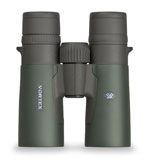
Vortex Razor HD 8×42
Vortex is the high-end line from the trusted manufacturers at Eagle Optics. These binoculars have a good image and feel with great close focus.
Overall Feel: 4.3 Clarity/Crispness: 4.2 Quality Index: 4.3 Eyeglass Friendliness: 4.6 Price (MSRP): $1,279 -
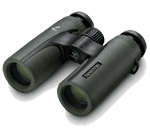
Swarovski CL 8×30
Great for people who like small-form binoculars, with a very nice image that is just slightly less sharp than the top-of-the-line Swarovision 8×32.
Overall Feel: 4.3 Clarity/Crispness: 4.3 Quality Index: 4.3 Eyeglass Friendliness: 4.0 Price (MSRP): $1,054 -
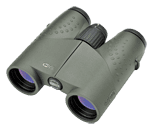
Meopta Meostar 8×32
Reviewers noted good close focus and wide field of view. The image crisp, clear, and bright.
Overall Feel: 3.9 Clarity/Crispness: 4.3 Quality Index: 4.2 Eyeglass Friendliness: 4.3 Price (MSRP): $959
-
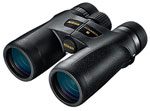
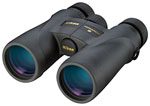
Nikon Monarch 7 8×42
Fantastic binocular for the price category. Sharp image; a great feel in the hand. The Nikon Monarch has been a popular line for years, and this is their new top of the class.
Overall Feel: 4.3 Clarity/Crispness: 4.5 Quality Index: 4.5 Eyeglass Friendliness: 4.7 Price (MSRP): $530 -
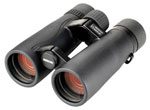
Opticron Verano BGA HD 8×42
An all-around solid binocular from a brand well-known in the U.K. Good feel in the hand, popular open bridge design, and good close focus.
Overall Feel: 4.3 Clarity/Crispness: 4.5 Quality Index: 4.5 Eyeglass Friendliness: 4.7 Price (MSRP): $641 -
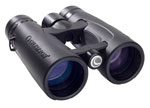
Celestron Granite ED 8×42
Sharp and crisp; great close focus and field of view; colors seem warmer than real life. Open bridge design for comfort in the hand.
Overall Feel: 4.0 Clarity/Crispness: 4.3 Quality Index: 4.3 Eyeglass Friendliness: 4.5 Price (MSRP): $440 -
Eagle Optics Golden Eagle HD 8×42
Features the tried-and-true design of the popular Eagle Optics Ranger but adds HD glass for a noticeably better image.
Overall Feel: 4.3 Clarity/Crispness: 3.9 Quality Index: 4.3 Eyeglass Friendliness: 5.0 Price (MSRP): $600 -
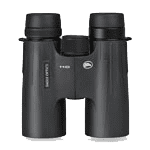
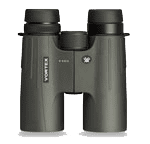
Vortex Viper HD 8×42
Compact and comfortable. Firm focus wheel that is easy to dial in. The close focus is excellent.
Overall Feel: 4.1 Clarity/Crispness: 4.3 Quality Index: 4.2 Eyeglass Friendliness: 4.2 Price (MSRP): $655
-
Nikon Monarch 5 8×42
Lightweight, well balanced, and comfortable in the hand.This and the Zeiss Terra ED are the only binoculars in this category to feature the clarity of ED glass.
Overall Feel: 4.5 Clarity/Crispness: 4.2 Quality Index: 4.3 Eyeglass Friendliness: 4.5 Price (MSRP): $309 -
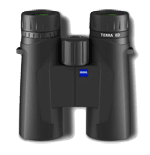
Zeiss Terra ED 8×42
This is one of the lowest priced binoculars in our review to feature ED glass—a clear step up in terms of materials and image.
Overall Feel: 4.4 Clarity/Crispness: 4.0 Quality Index: 4.3 Eyeglass Friendliness: 4.8 Price (MSRP): $385 -
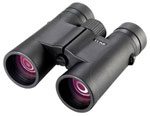
Opticron Trailfinder 3 WP 8×42
A fairly crisp image with a nice feel in the hand and a sensitive focus wheel that is quick to focus.
Overall Feel: 3.8 Clarity/Crispness: 3.7 Quality Index: 4.0 Eyeglass Friendliness: 4.3 Price (MSRP): $219 -
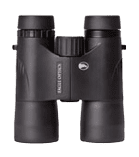
Eagle Optics Ranger 8×42
A longtime favorite that has served thousands of birders well. Not quite as sharp or bright as the Best in Class, but still an excellent value for the category.
Overall Feel: 3.7 Clarity/Crispness: 4.1 Quality Index: 4.0 Eyeglass Friendliness: 4.3 Price (MSRP): $333 -
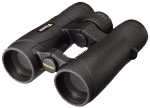
Vixen New Foresta HR WP 8×42
Not quite as crisp or bright as Best in Class, but very close. Open bridge design is a plus. Smooth focus wheel. Easy to dial into focus.
Overall Feel: 3.9 Clarity/Crispness: 3.7 Quality Index: 3.9 Eyeglass Friendliness: 4.3 Price (MSRP): $399
-
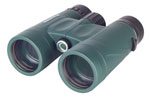
Celestron Nature DX 8×42
Nice feel in the hand. Lightweight. Reviewers were surprised at the excellent image these binoculars provide at a low price.
Overall Feel: 4.4 Clarity/Crispness: 4.0 Quality Index: 4.2 Eyeglass Friendliness: 4.5 Price (MSRP): $185 -
Atlas Optics Sky King 8×42
These binoculars offer a nice, crisp image for this price category, although the somewhat heavy and stiff feel may not be for everyone.
Overall Feel: 3.7 Clarity/Crispness: 4.0 Quality Index: 4.0 Eyeglass Friendliness: 4.5 Price (MSRP): $199 -
Opticron Oregon LE WP 8×32
Excellent value. Small size, ideal for smaller hands. Best of the lower-priced “small-sized” binoculars. Great for kids!
Overall Feel: 3.8 Clarity/Crispness: 4.0 Quality Index: 4.0 Eyeglass Friendliness: 4.2 Price (MSRP): $155 -
Optics Planet OPMOD 8×42
A sturdy, slightly heavy binocular that offers a good image for the price.
Overall Feel: 3.8 Clarity/Crispness: 4.0 Quality Index: 4.0 Eyeglass Friendliness: 4.5 Price (MSRP): $195 -
Eagle Optics Denali PC 8×42
A lightweight binocular with a smooth focus wheel and a nice image.
Overall Feel: 4.3 Clarity/Crispness: 3.8 Quality Index: 3.9 Eyeglass Friendliness: 3.7 Price (MSRP): $199 -
Leupold BX-1 Yosemite 8×30
These are especially good for kids, with a nice image and feel, low price, and several fun colors.
Overall Feel: 3.7 Clarity/Crispness: 3.0 Quality Index: 3.5 Eyeglass Friendliness: 4.0 Price (MSRP): $129
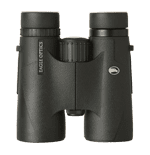
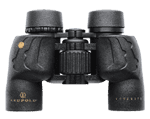
More Info to Help You Choose
These interactive graphs will help you pinpoint the price range and attributes that are right or you.
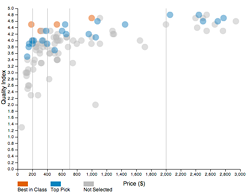
How Much Should You Spend?
Click the image to compare binocular prices against our Quality Index for all 102 binoculars.
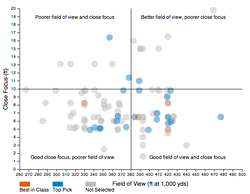
How Much Will You See?
Click the image to explore close focus and field of view for all 102 binoculars.
Notes: Our Quality Index is a grand average of all of the reviewers’ ratings. Overall Feel is our reviewers’ assessment of weight, balance, construction and fit—bear in mind that it includes a lot of personal preference. Clarity/Crispness and Eyeglass Friendliness are described in the section above. Our full review spreadsheet (see sidebar) contains more details of our review methods.
Full disclosure: ZEISS and Optics Planet are sponsors of the Cornell Lab of Ornithology.
Acknowledgments
We’d like to thank the staff of Wild Birds Unlimited at Sapsucker Woods for their patience in generosity in allowing us to test and re-test many of their binoculars during this review: Barry and Sue Stevens, Walt Blodget, Elise Dentes, Ann Perna, and Ann Spinelli.
We also thank the more than 60 Cornell Lab staff and local bird watchers who provided ratings for binoculars: Joanne Avila, Bernd Blossey, Nick Bruns, Shannon Buckley, Tilden Chao, Russ Charif, Miyoko Chu, Greg Delisle, Henk den Bakker, Marc Devokaitis, Martha Fischer, Tom Fredericks, J. Grenier, Emily Griffiths, Yiaing Guo, Kim Haines-Eitzen, Becky Hansen, Greg Heist, Wesley Hochachka, Marshall Iliff, Eduardo Iñigo Elias II, Sara Keen, Anne Klingensmith, Gary Kohlenberg, Stuart Krasnoff, Amanda Larracuente, Nicola Leckie, Tim Lenz, Pat Leonard, Alberto López, David McCartt, Kevin McGowan, Bill Michener, Charles Mollenhauer, Will Morris, Diane Morton, Mary P., Chris Pelkie, Ruth Pfeffer, Alicia Plotkin, Hugh Powell, Mike Powers, Ashik Rahaman, Syed Rehman, Anne Rosenberg, Jesse Ross, Tom Schulenberg, Sharon, Aisha Siebert, Laura Stenzler, Rob Stevenson, Jae Sullivan, Derrick T., Don Timmons, Benjamin Van Doren, Brad Walker, Peter Wiedmann, Andrea Wiggins, Chris Wood, Suan Yong, and Matt Young.

All About Birds
is a free resource
Available for everyone,
funded by donors like you
American Kestrel by Blair Dudeck / Macaulay Library